Access cards are printed, issued, and retrieved by hand. Lost card means replacement and permission updates. When someone leaves, access has to be manually revoked and the card recovered.
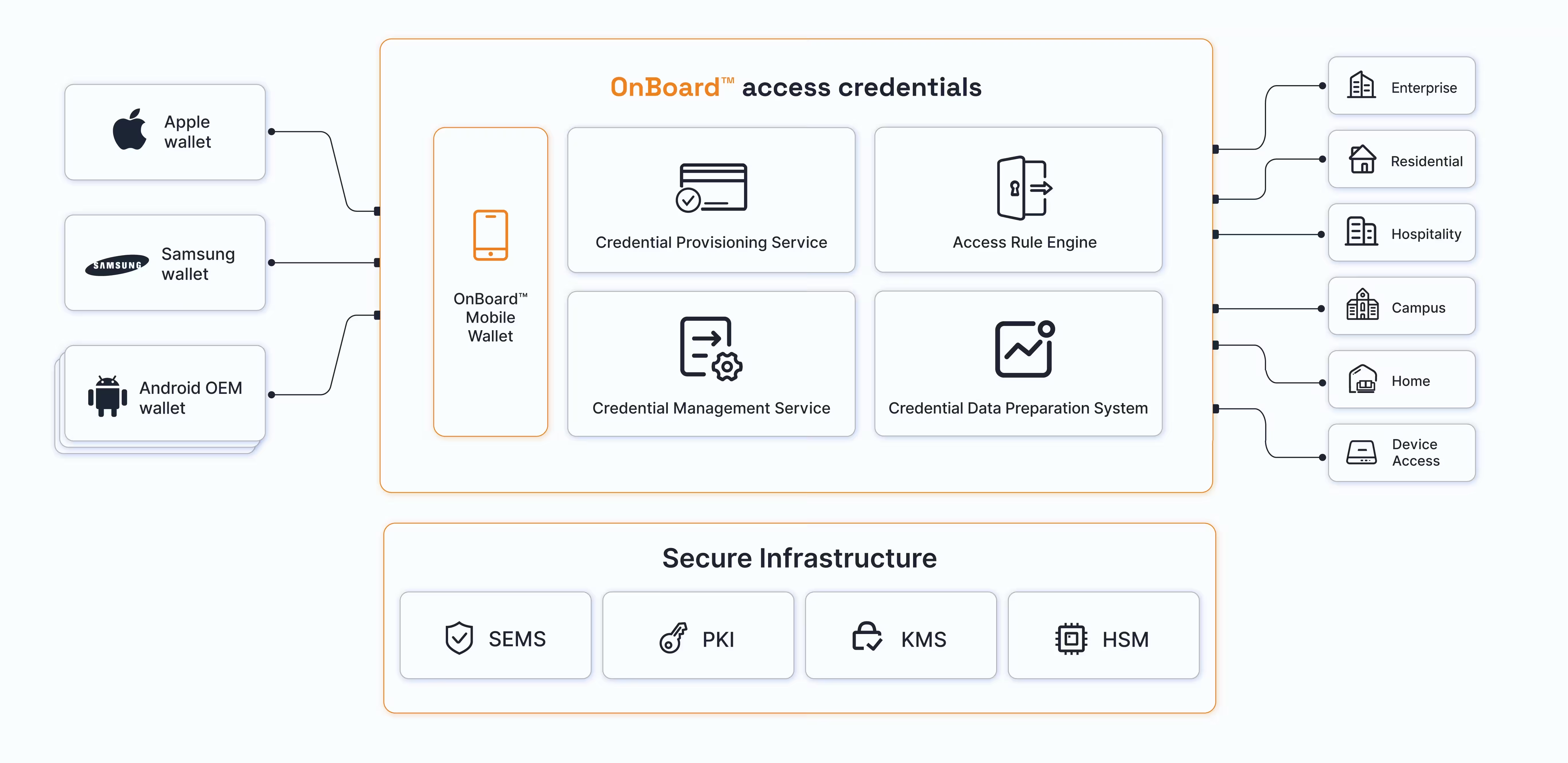
Employees tap phone or wearable to access doors, elevators, and more. Credential issued before day one. Revoked the moment employment ends. Nothing to print, nothing to hand back.
Residents visit the property office to get their access card. Losing it means going back to apply for a replacement and paying a fee. Forgetting it means waiting at the gate or calling for help.
Resident key sent to phone or wearable when they move in. If the phone is lost, access is suspended remotely. No card to lose, no office visit, no waiting at the gate.
Guests arrive and wait at the front desk for a key card. Lost card means another trip to reception. Extending a stay means going back for a new card.
Room key sent to phone or wearable at check-in. Guests go directly to their room. Key updated or extended remotely. No card to collect, no queue, no front desk visit.
Separate credentials for dorms, libraries, dining, and facilities. Managed across students, faculty, staff, and visitors — often across disconnected systems.
One credential for every door, every facility, every service on campus. Issued to students, faculty, staff, and visitors through one platform. Updated when roles change, revoked when access ends.
Physical keys get lost or copied. Fingerprint readers aren't reliable for young children or elderly users.
Tap phone or wearable to unlock. No key to carry, no fingerprint required. Works for every family member.
Device Access (e.g. electric scooter)
Physical keys or card keys can be lost. App-based Bluetooth unlock works, but requires unlocking the phone, opening the app, and waiting for the connection.
Tap phone or wearable to unlock instantly. No app to open, no connection to wait for. Share access key with others remotely when needed.